



2-Way Phone and Messaging Integration for Salesforce Sales and Service Cloud
- Salesforce customer data on screen as calls arrive
- Click to call and click to SMS
- Automatic call, SMS, and WhatsApp logging, with notes
- Inbound SMS routed to team inbox with automatic case creation
- Send personalised SMS and WhatsApp from Salesforce workflows
- Inbound call routing to individuals and teams
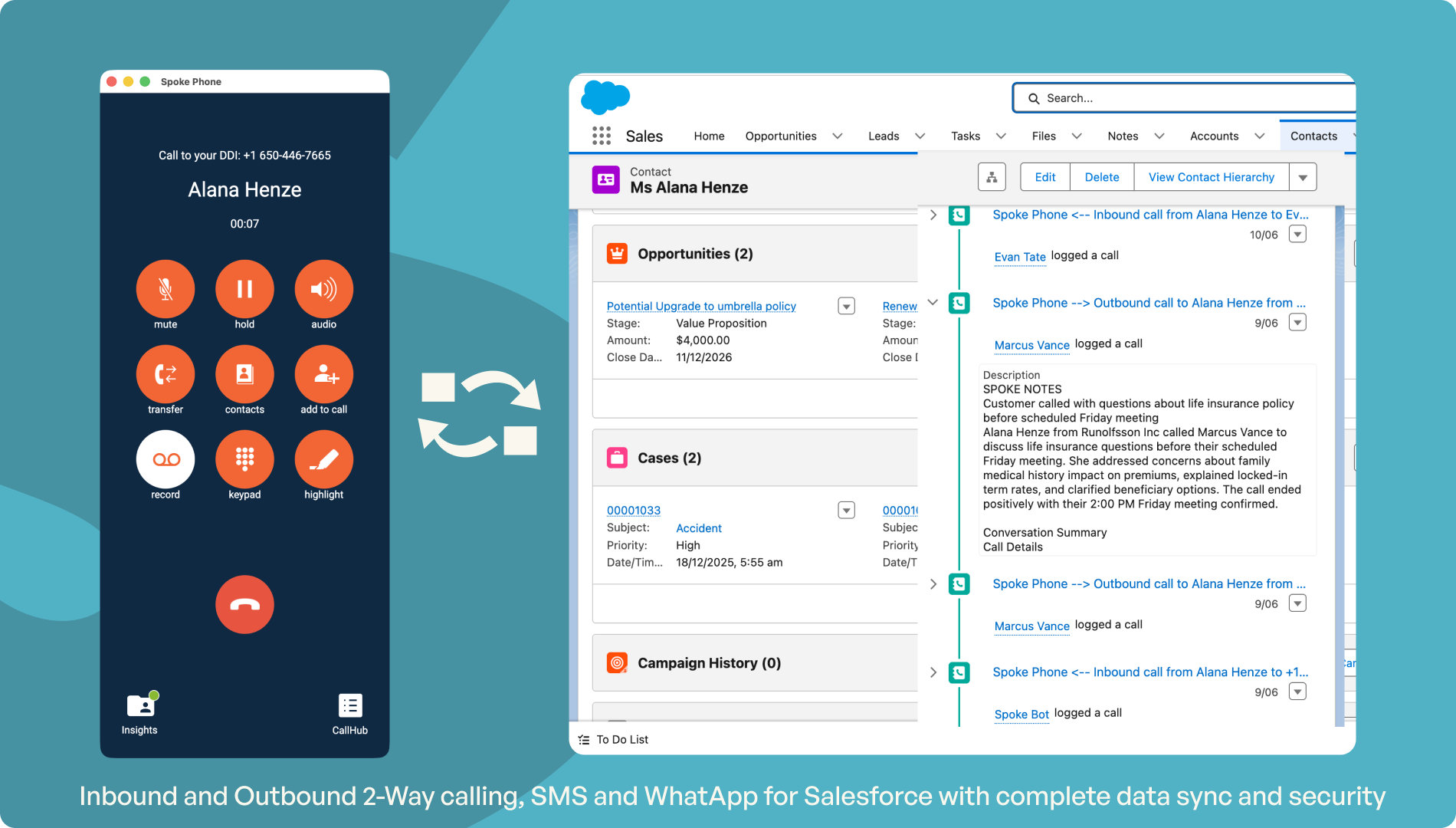

Overview
Your business runs on Salesforce — the workflows, the compliance processes, the customer record. At a desk, that's manageable. Away from one, phone calls and messages happen on personal devices, outside Salesforce entirely. Unrecorded. Outside your workflows. Invisible to every control you've already built. Spoke Phone brings every conversation back inside Salesforce automatically, on any device, so the same processes that protect your business at a desk protect it everywhere else too.
- Salesforce customer data on screen as calls arrive
- Click to call and click to SMS
- Automatic call, SMS, and WhatsApp logging, with notes
- Inbound SMS routed to team inbox with automatic case creation
- Send personalised SMS and WhatsApp from Salesforce workflows
- Inbound call routing to individuals and teams
MOBILE TEAMS, SAME DATA, SAME COMPLIANCE
Field agents and shift workers get the full Salesforce integration on their phone, not a stripped-down version
Whether someone is at a desk or on the road, Spoke works the same way. Inbound calls show the Salesforce record. Replies to customer SMS update the case. Conversations are logged automatically when they end. The alternative, people using their personal number because it's easier, means those conversations never reach Salesforce at all: no case, no log, no SLA clock, no audit trail. Spoke on mobile closes that gap without asking anyone to change how they work today.
YOUR SALESFORCE PROCESSES KEEP RUNNING
Spoke reads from and writes to Salesforce at each stage of the conversation automatically
When a call arrives, Spoke reads the Salesforce record to route it to the correct person and team and brief that person. When a Spoke Phone user replies to an SMS, Spoke updates the case status. When the conversation closes, Spoke closes the case. Your existing Salesforce workflows, including automations, assignments, timers, fire based on what's actually happening in the conversation. You no longer have to rely on people remembering to update a record in salesforce later.
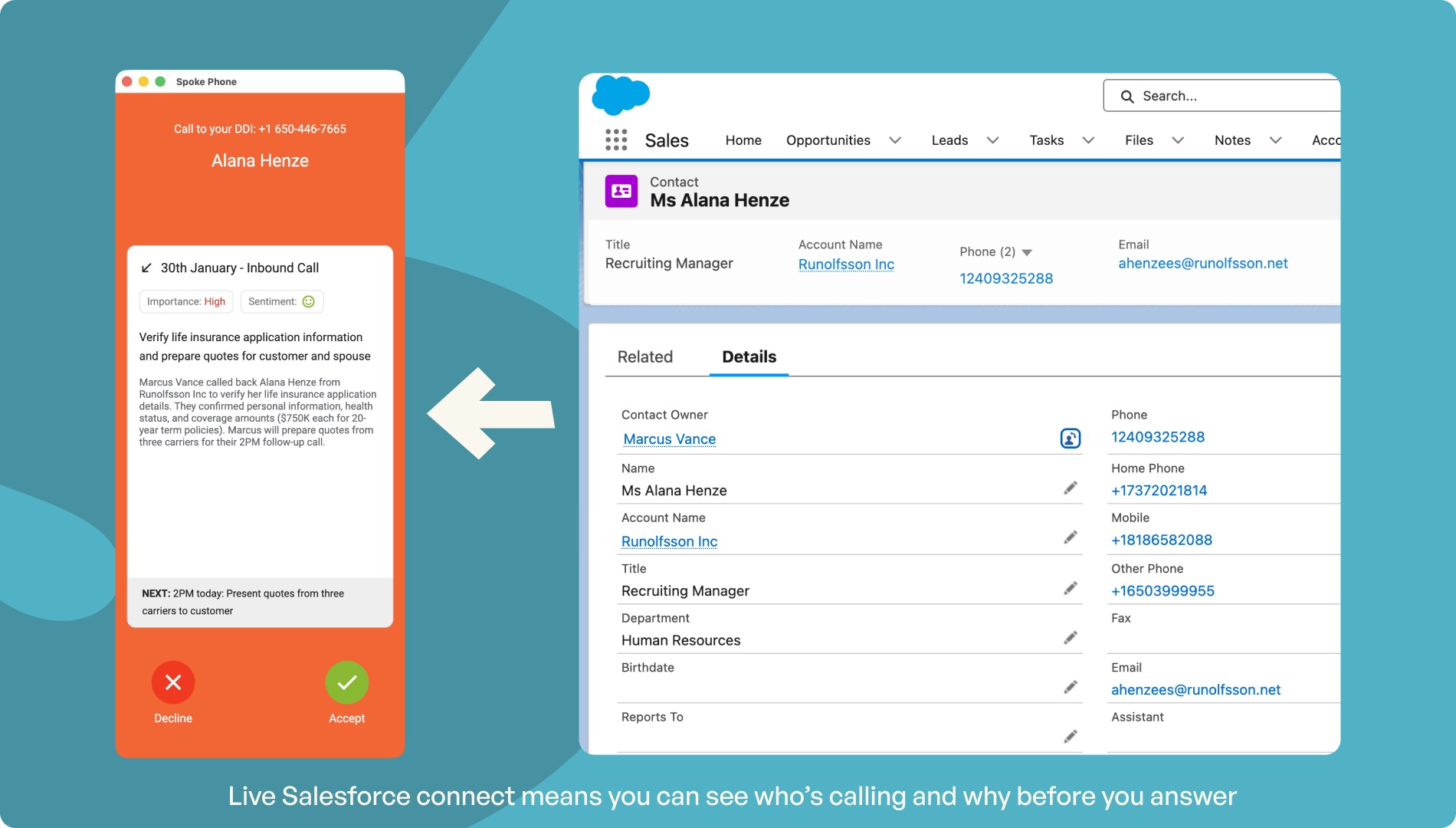
KNOW WHO'S CALLING BEFORE YOU ANSWER
See real-time customer information from Salesforce on your mobile phone before you pick up the call
When a call comes in, Spoke pulls the matching Salesforce record and displays the customer's name, history, and open cases on screen. People answer informed, no scrambling, no asking the customer to repeat themselves. For teams routing calls by customer type or program enrollment, the right agent gets the right caller before the conversation starts.
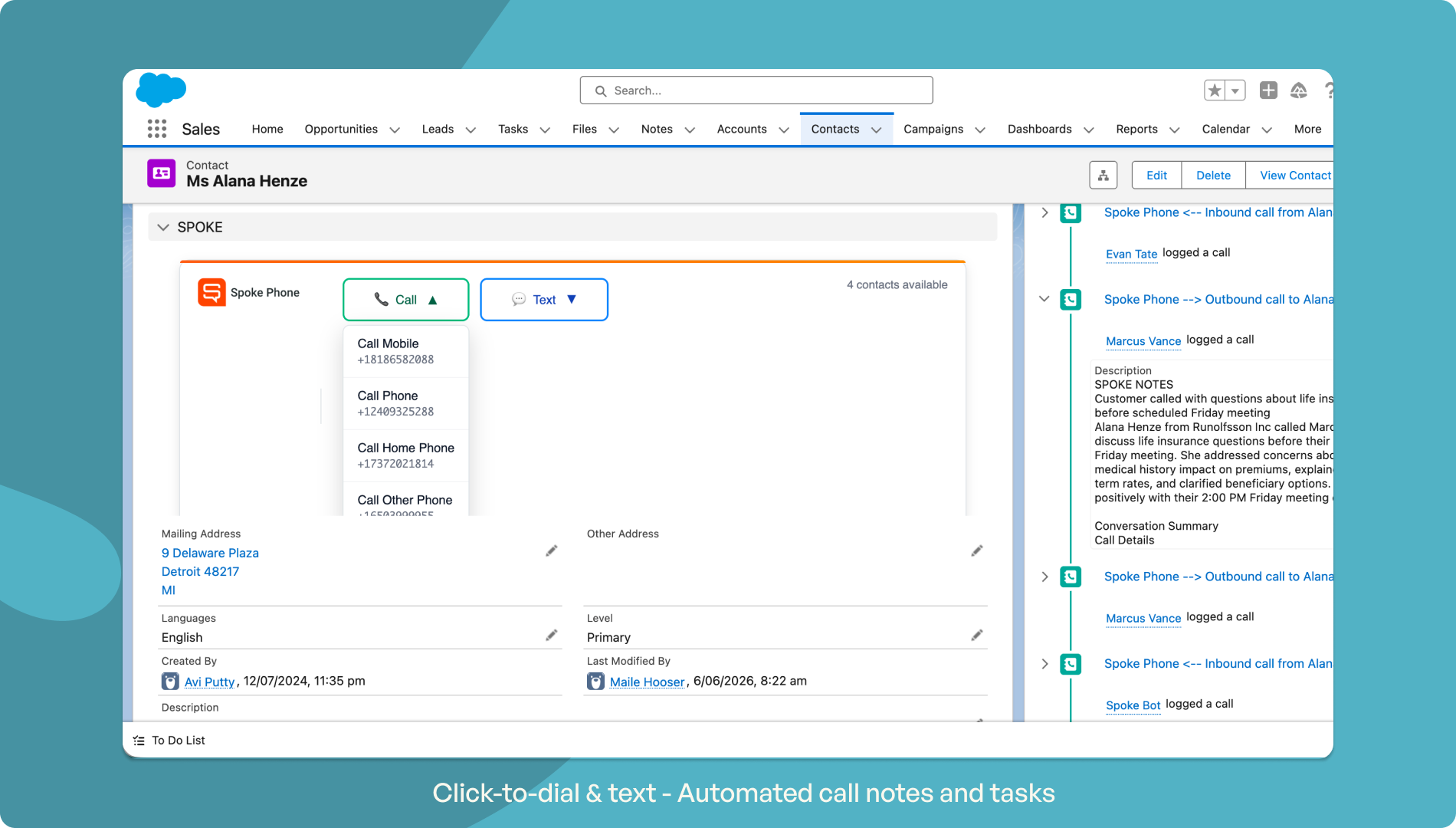
REACH SALESFORCE CONTACTS FROM ANYWHERE
Search and call Salesforce contacts from inside Spoke Phone, while adhering to Salesforce's contact access rules you've setup
Spoke keeps your Salesforce contacts available on any device — mobile, desk phone, or desktop. Teams can find, call, and message any contact directly from Spoke without leaving the app or switching screens. For teams working from a shared contact list, assigned records sync into each person's Spoke phonebook automatically so they always know who's calling back. For teams with protected contacts, they can only see and call the contacts you've allowed them to see in Salesforce
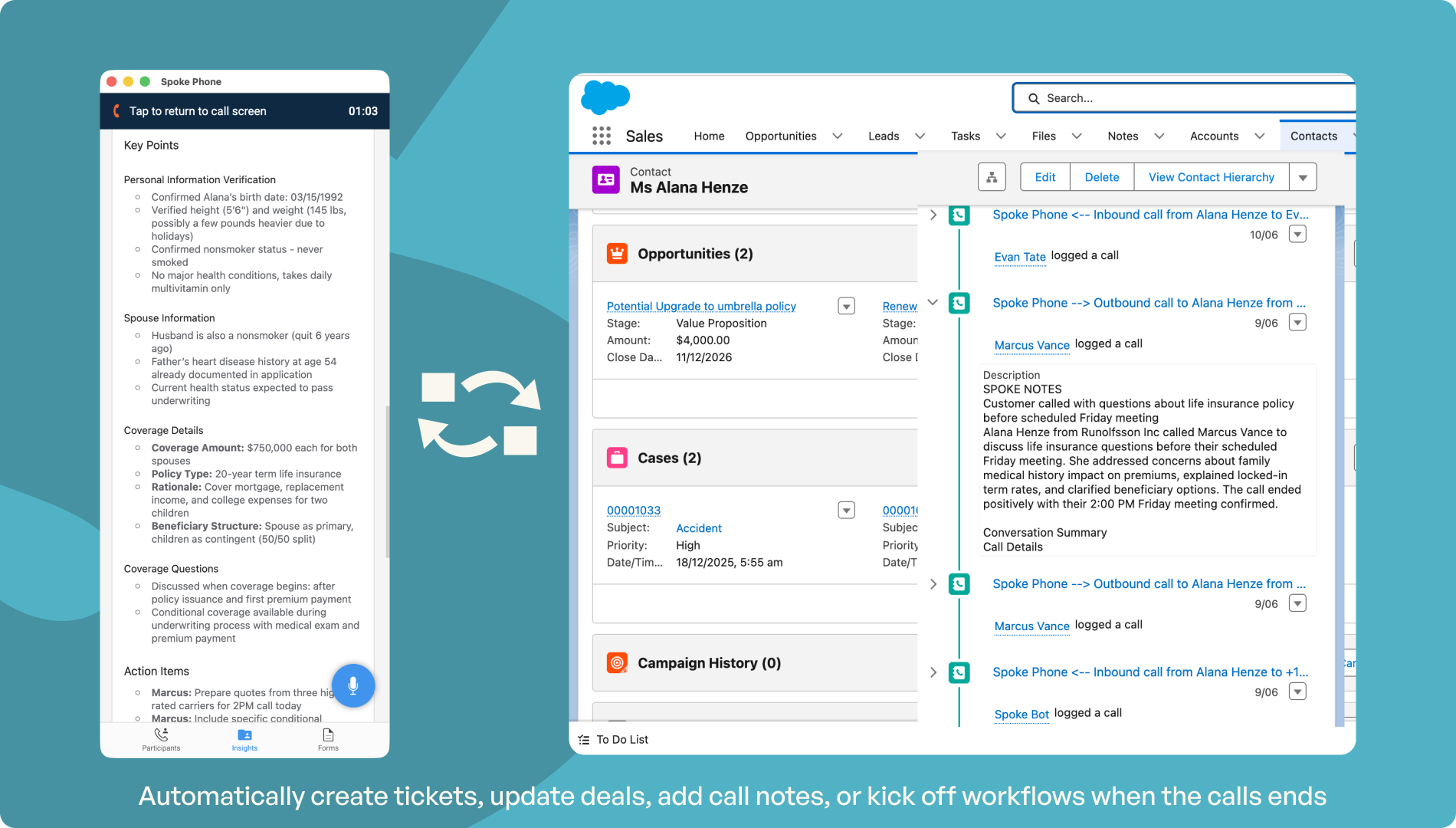
LOG EVERY CALL AND MESSAGE AUTOMATICALLY
Every call, SMS, and WhatsApp message logged to the right Salesforce record
Spoke logs every conversation, voice, SMS, and WhatsApp, against the correct Salesforce record as it happens. On mobile, call notes can be added after a call by talking and then they auto sync to Salesforce. On desktop, Spoke's OpenCTI captures call records automatically inside the Salesforce app. For SMS conversations handled by a shared team, every individual message is stored against the case record, giving a complete, queryable conversation history across people and shifts.
NO MANUAL TICKETS NO LOST CONTEXT
Inbound SMS creates a Salesforce case automatically and routes it to the right team
When a customer sends an SMS to your shared business number, Spoke looks them up in Salesforce, creates a case with their details and message already populated, and routes the conversation to the right team inbox, before anyone is involved. As the conversation progresses, the case status updates automatically. When it closes in Spoke, it closes in Salesforce. Teams handling SMS across shifts see the full conversation history regardless of who handled it earlier.
MISSED SLA? SUPERVISOR KNOWS IMMEDIATELY
Automatic escalation when an SMS goes unanswered beyond your response threshold
A service level timer runs from the moment an inbound SMS creates a Salesforce case. When a person replies, the timer stops. If no one responds within the configured window, Spoke sends an automatic notification to the supervisor queue in Salesforce — no manual monitoring required. The threshold is configurable to match your team's SLA. Response time compliance no longer depends on individual people remembering to flag it.
SEND PERSONALISED MESSAGES AT SCALE
Automated SMS and WhatsApp from Salesforce workflows, sent from your team's numbers
Spoke connects to Salesforce's messaging API so teams can trigger personalized SMS and WhatsApp messages automatically from Salesforce workflows, contract confirmations, updates, follow-ups, and reminders. Messages come from the right person or a team's actual number, not a shortcode, so they feel personal even when fully automated. Replies land back in Spoke and can be logged against the Salesforce record.
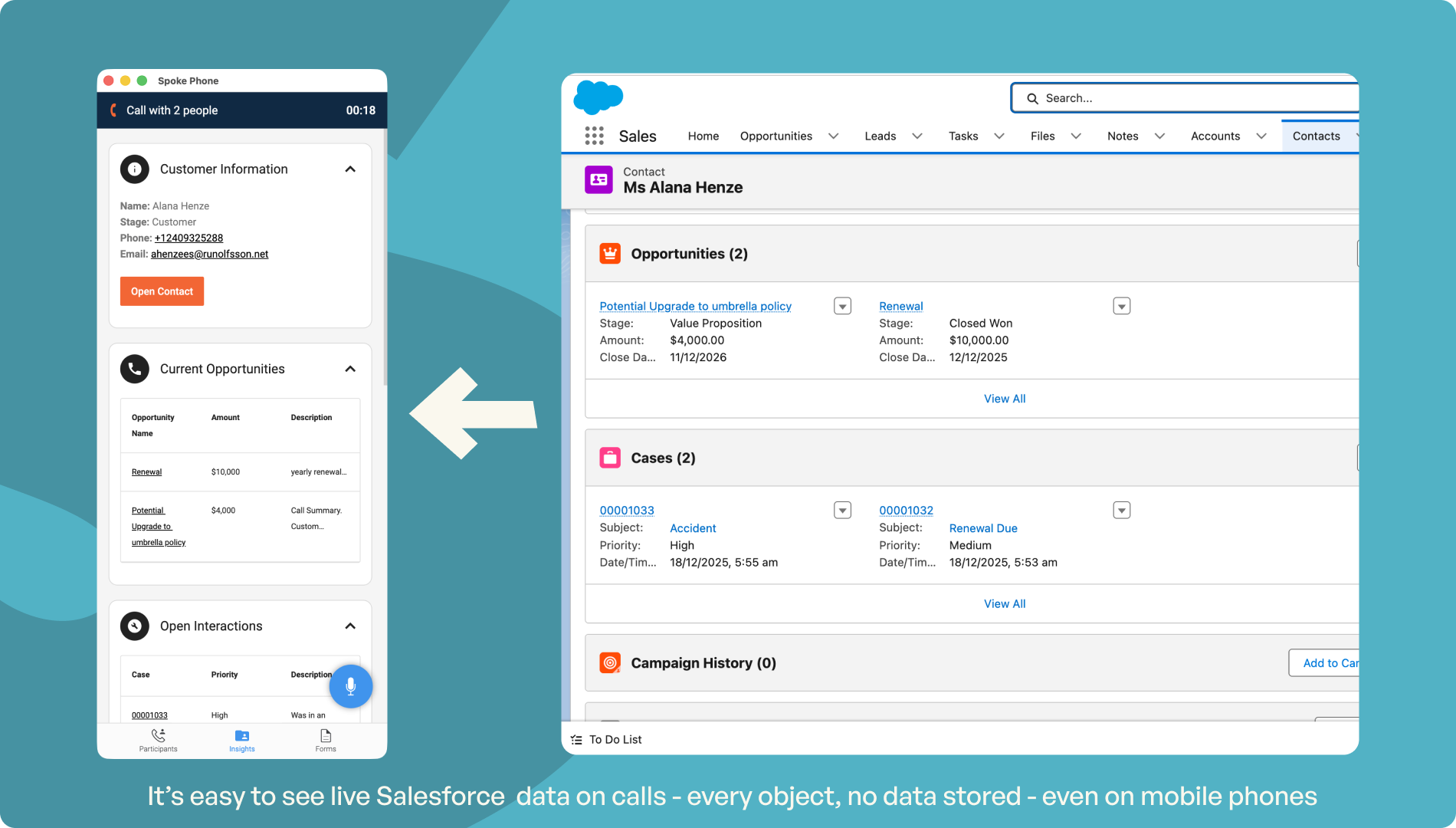
NO MORE CLICKING 20 SCREENS TO FIND THE INFO YOU NEED
Have great customer conversations with secure Salesforce information available on mobile phones in one easy-to-use screen
The problem with the Salesforce mobile app, is it is hard to use on a mobile phone, especially when you are trying to look up data quickly while on a call. With Spoke, Salesforce data is shown in a single scrollable screen so you can thumb through key info while (or before) you chat. What's more, nothing is ever stored on the Spoke app. Whatever Salesforce data you allow a particualr user to see on Spoke, it is pulled in real-time, encrypted along wth the call, and it dissapears once the call ends. Nothing is stored.

